
A monthly budget planner is a plan for the money you expect to receive and how you will spend and save it. The basic steps are to list your income, list your fixed costs, plan your everyday spending, set aside savings, and then compare the plan with what actually happens.
Five steps
- Add up your income for the month. If it varies, use the amount you can count on.
- List your fixed costs: rent, loan payments, bills, school fees.
- Plan your flexible spending: food, transport, entertainment.
- Decide what you will save and give it its own line, instead of hoping something is left over.
- Compare the plan with what actually happens, and adjust next month.
A rule of thumb, not a rule
Some people start with a 50/30/20 split: about half of income on needs, thirty percent on wants, and twenty percent on savings and debt. It is a common starting point, not advice, and it will not fit every household. Use your own numbers.
Do it in ObsyMint Goals
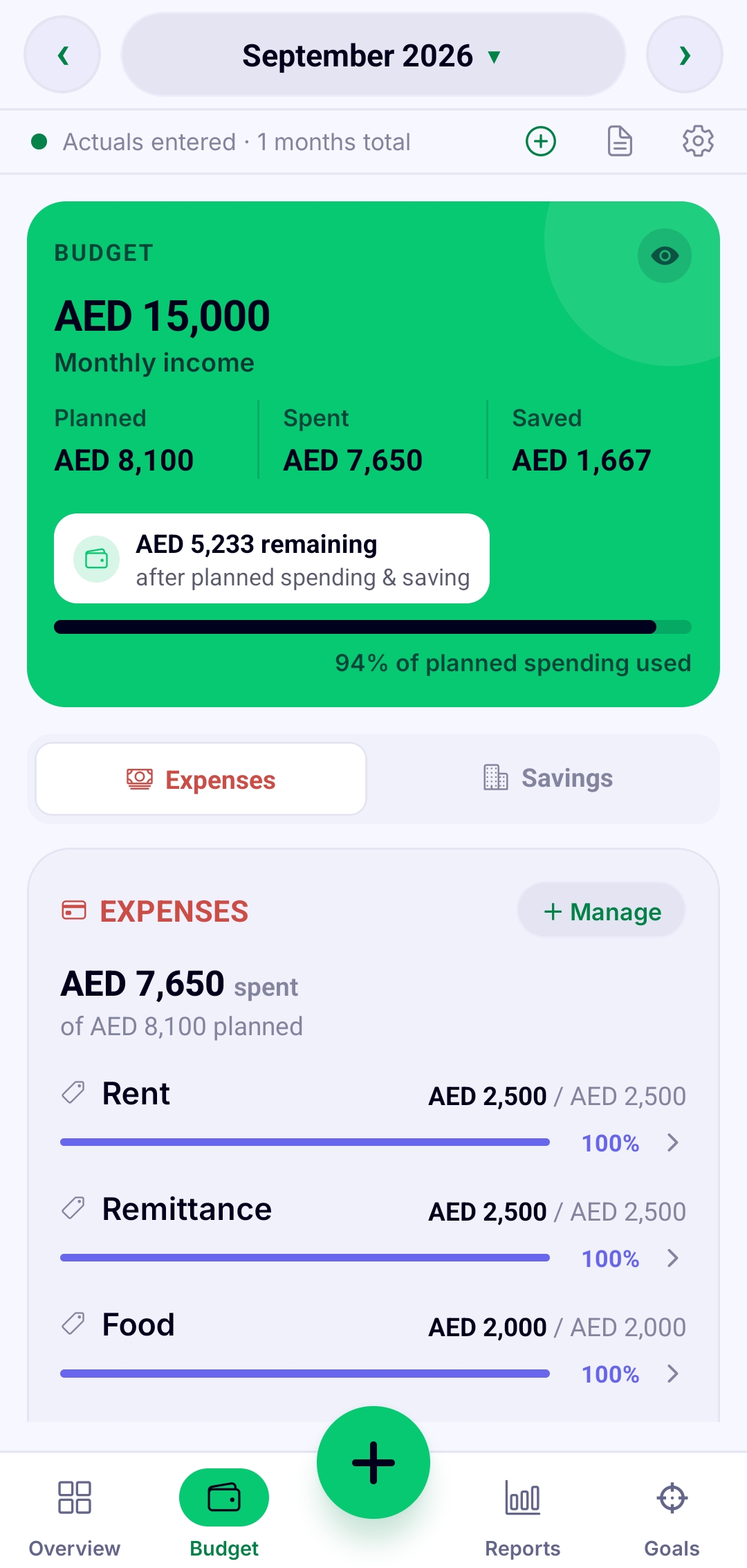
Add your monthly income, then a budget line for each thing you spend on. Log spending as it happens and the app shows planned against actual, what is left, and how much of your plan you have used. Change your income or a line and every total recalculates instantly.
Common mistakes
- Forgetting yearly costs such as renewals and school fees.
- Having no line for savings.
- Using so many categories that logging becomes a chore.
- Never comparing the plan with what actually happened.
Common questions
How long does it take to set up a monthly budget?
The first one usually takes a few minutes if you know your income and main bills. After that, each month is mostly small adjustments.
What if my income changes each month?
Plan around the lowest amount you can rely on, then update your income when extra money arrives. In ObsyMint Goals, everything recalculates when you change it.
Is 50/30/20 the right split for me?
Not necessarily. It is a starting point. The right split depends on your costs, your goals and where you live.
Is ObsyMint Goals free?
It is free to use, with ads. A one-time Pro upgrade unlocks unlimited Goals, Loans & Bills and Smart Calculation, and removes ads. There is no subscription.